Thank you for reporting this missing image
Our team will work to update this soon
Print
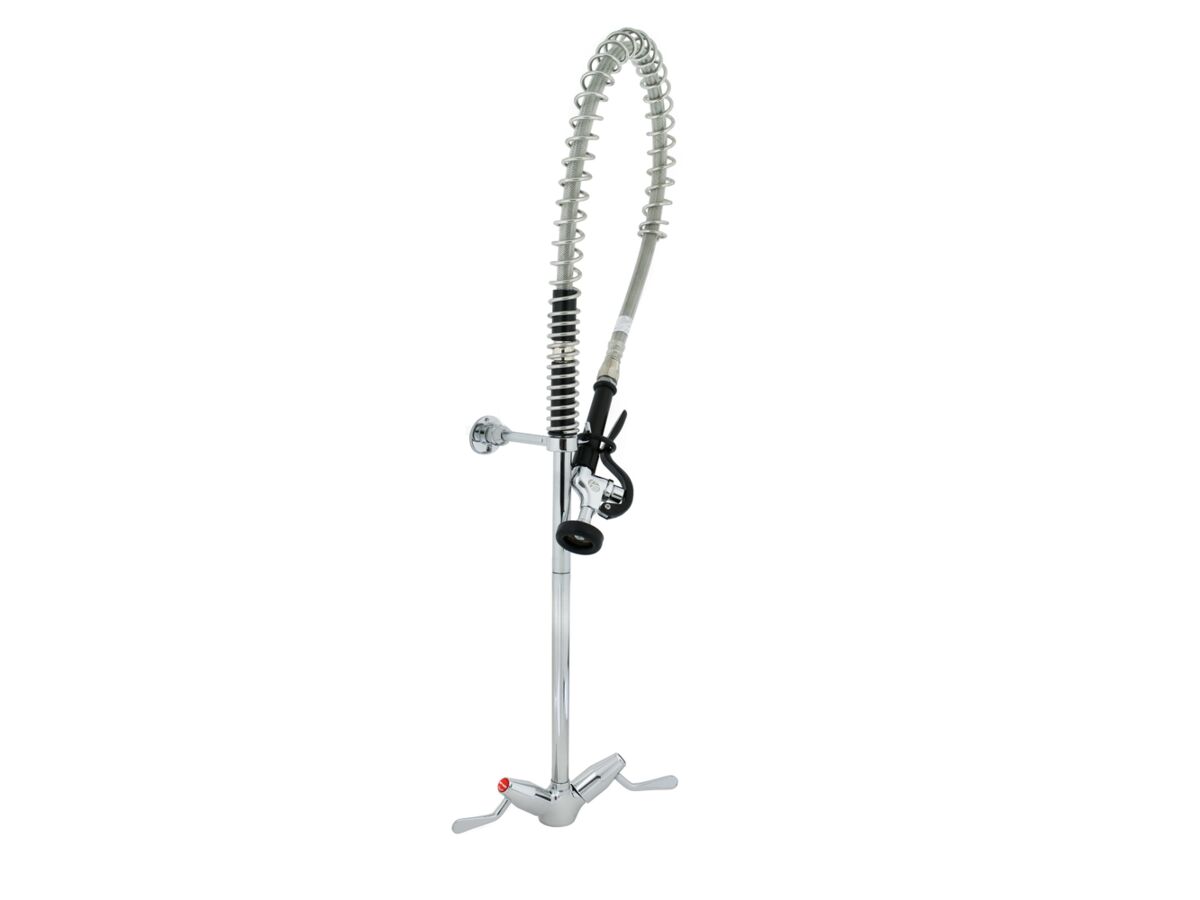
Pre-Rinse Hob Mount Tap Set with Spring and Lever Handles Chrome

Pre-Rinse Hob Mount Tap Set with Spring and Lever Handles Chrome (6 Star)

Product code: 109991

View Product Specifications
  • Product Specifications
  • Documents and Downloads
Back

Product Type Tapware
Tapware Handle Type Lever
Colour Category Chrome
Colour Finish Chrome
WELS Registration Number T08519
Water Efficiency Star Rating 6 Star
Water Consumption 4 L/min

Specification Sheets

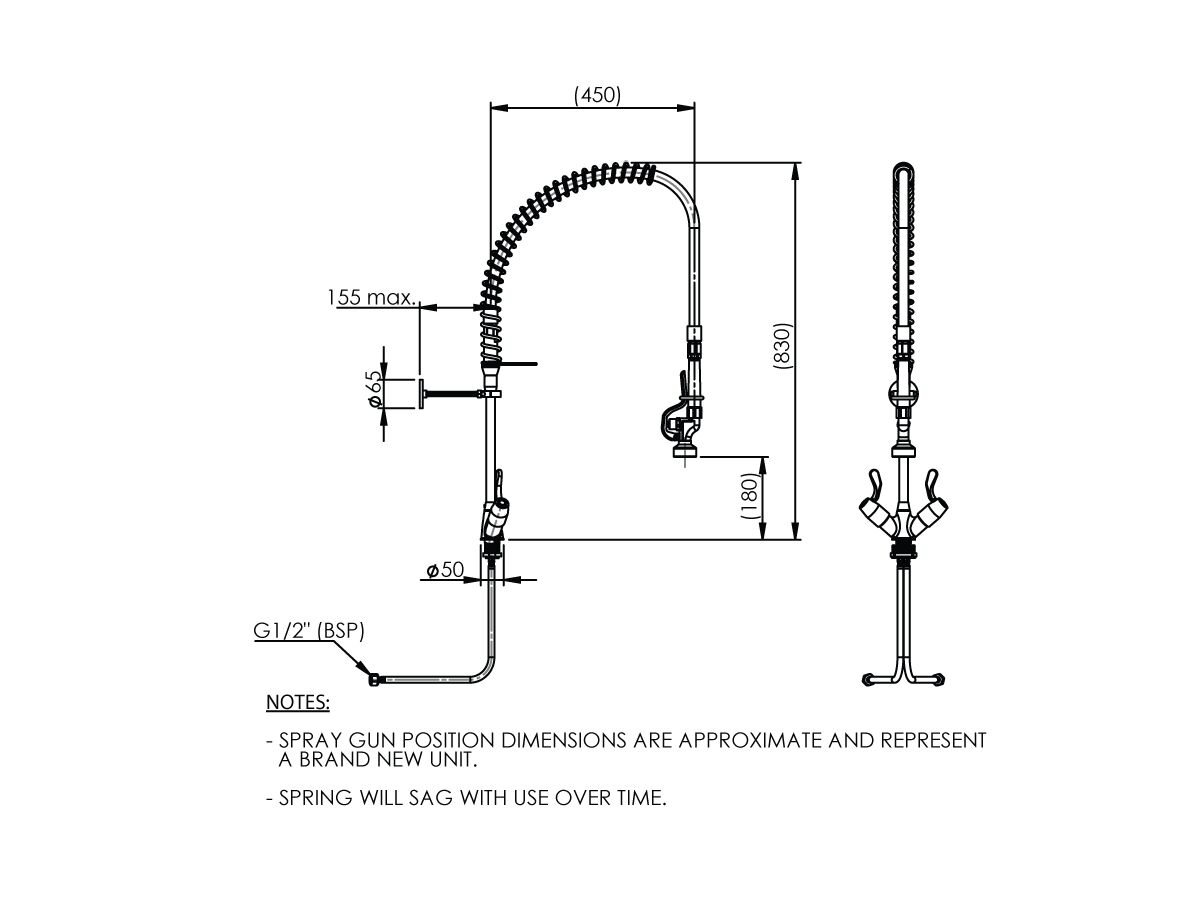
Line Drawing 1 - Pre-Rinse Hob Mount Tap Set with Spring and Lever Handles Chrome View
Installation Instructions - Pre-Rinse Hob Mount Tap Set with Spring and Lever Handles Chrome
Installation Instructions - Pre-Rinse Hob Mount Tap Set with Spring and Lever Handles Chrome View
2D DWG - Pre-Rinse Hob Mount Tap Set with Spring and Lever Handles Chrome Download
RFA - Pre-Rinse Hob Mount Tap Set with Spring and Lever Handles Chrome Download

Specification, Manuals & Installation

Installation Instructions - Pre-Rinse Hob Mount Tap Set with Spring and Lever Handles Chrome
Installation Instructions - Pre-Rinse Hob Mount Tap Set with Spring and Lever Handles Chrome View

2D/3D Models

2D DWG - Pre-Rinse Hob Mount Tap Set with Spring and Lever Handles Chrome
2D DWG - Pre-Rinse Hob Mount Tap Set with Spring and Lever Handles Chrome Download
2D DWG - Pre-Rinse Hob Mount Tap Set with Spring and Lever Handles Chrome
2D DWG - Pre-Rinse Hob Mount Tap Set with Spring and Lever Handles Chrome Download
RFA - Pre-Rinse Hob Mount Tap Set with Spring and Lever Handles Chrome
RFA - Pre-Rinse Hob Mount Tap Set with Spring and Lever Handles Chrome Download

Pre-Rinse Hob Mount Tap Set with Spring and Lever Handles Chrome (6 Star)

Hold and drag the right mouse button to move objects.
Scroll with the mouse wheel, or pinch with the trackpad, to zoom
Hold and drag the left mouse button to rotate objects.

Drag with two fingers to move object
Pinch with both fingers to increase/decrease the size.
Drag with one finger to rotate object